Resources for commercial HVAC service.
Free tools for the roof, guides to running service work, and help choosing or switching software.
Tools and examples
Rooftop Lab
Take the panels off a commercial rooftop. Follow the air and refrigerant, change the day and see the economizer respond.
Explore Rooftop Lab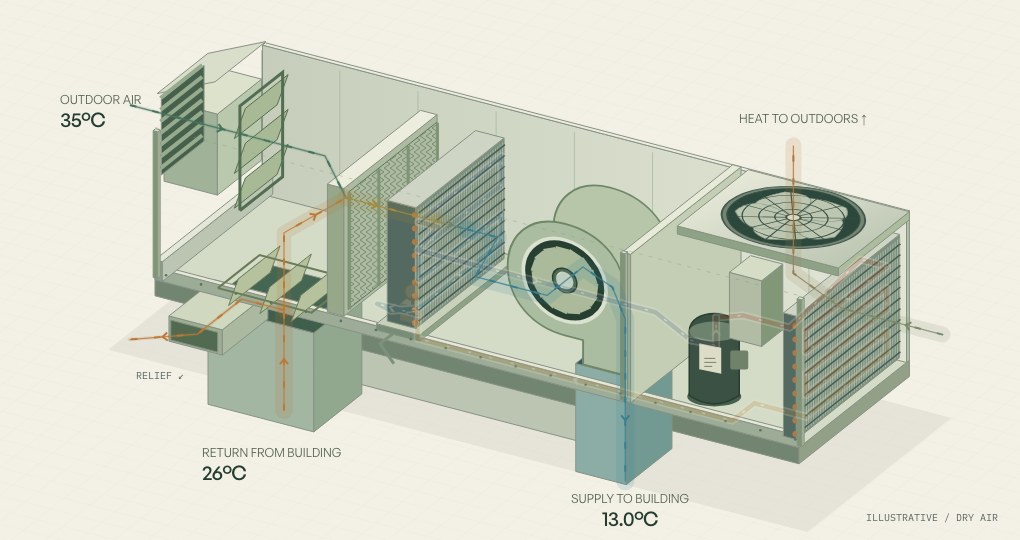
Leave the customer a clear report.
Keep each unit’s findings, completed work, photos and follow-up together. Build a multi-unit service report and download a PDF without an account.
The free builder formats what you enter. Notes and photos stay in your browser.
Build a free report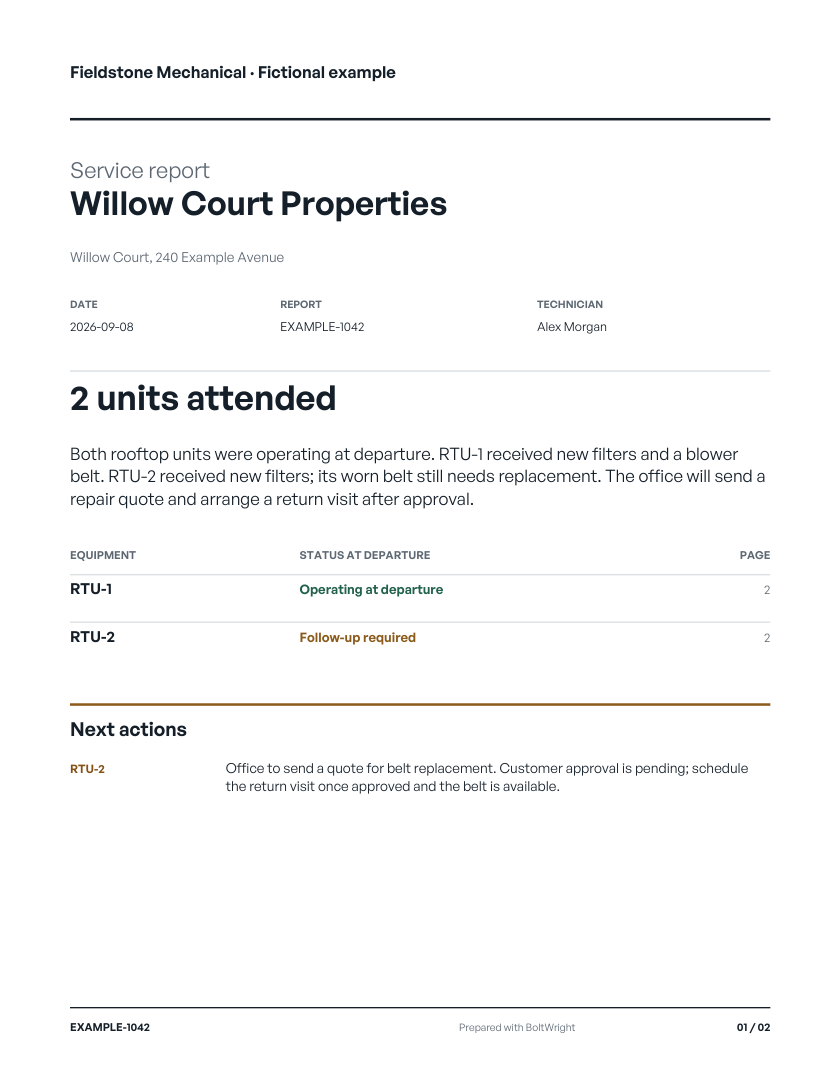 A worked two-unit service report ↗
Start with the right rooftop
Decode a rooftop model number from seven manufacturers, with tonnage, voltage and factory filter sizes, then carry the unit into a service report.
Open the equipment library →See airflow take shape
Turn, resize and look inside a 3D duct. Compare air velocity and straight-duct friction loss.
Open the ductulator →Choosing or switching software
See a service day in BoltWright
A job from the service call to the invoice: the office, the crew’s phones, the report and what the customer gets.
See how it works →How we move your shop over
What comes across, how we check it with you, and the real job your crew runs before you pick a switch date.
Read how the move works →Choose commercial HVAC service software
Bring your PM visit and reactive call to the demo. Evaluate the work from dispatch through paperwork.
Read the guide →Choose software your small shop can run
A trial checklist for the working owner, the office and the crew.
Read the guide →Compare systems with the same test
Official product sources and a practical demo script for BoltWright, Jobber, Housecall Pro, ServiceTitan, BuildOps, ServiceTrade and ServiceBox.
Read the guide →When to look beyond Jobber
Decide whether to stay, then check which commercial records must survive a move.
Read the guide →When to look beyond Housecall Pro
Compare saved job information with new offline capture, then follow the agreement and repair.
Read the guide →ServiceTitan alternatives for a smaller commercial shop
Who ServiceTitan is built for, seven alternatives from their own pages, and one trial to run in every demo.
Read the guide →BuildOps alternatives for a service-first shop
Who BuildOps is built for, the alternatives from their own pages, and the trial to run before you sign.
Read the guide →ServiceTrade alternatives for commercial HVAC
What ServiceTrade does well, when an HVAC shop compares, and the alternatives from their own pages.
Read the guide →Commercial HVAC software for Canadian shops
Canadian dollars, GST, HST, PST and QST, QuickBooks Canada and where your data lives, vendor by vendor.
Read the guide →Switch without losing useful history
Export a sample, map the records, run a small trial, and reconcile before the whole shop moves.
Read the guide →Running service work
Finish the report while the work is fresh
What to capture, what the office needs to review, and how to keep findings attached to the right unit.
Read the guide →Keep the history with the equipment
Unit tags, nameplates, repeat visits, open repairs and seasonal agreement work.
Read the guide →Keep track of the maintenance you owe
A two-unit agreement with unfinished spring work, a summer booking, and a separate repair decision.
Read the guide →Change the schedule without losing the PM work
A two-tech maintenance visit interrupted by a reactive call, and how to hand off the work still owed.
Read the guide →Follow the repair past the report
A finding, an accepted quote and an unscheduled return, with an editable repair register.
Read the guide →Turn the finding into a clear repair quote
Work through scope, assumptions, exclusions and customer approval on an example commercial repair.
Read the guide →Find what is holding up the invoice
Five invoices stuck on missing hours, materials, scope or a PO number, and what clears each one.
Read the guide →Turn voice notes into a report you trust
How a tech’s recordings become a reviewed customer report by unit, what to check in any AI drafting, and a worked example.
Read the guide →Test the app without reception
What stays on the phone, what needs a connection, and how to check that the office received the work.
Read the guide →Using BoltWright
Connect your agent to your shop
Use BoltWright MCP to read the schedule and equipment history, request changes, and approve anything consequential yourself.
Set up an MCP connection →Working with no signal
What the Field app keeps doing without reception, what has to wait for a connection, and what happens when the signal comes back.
Read the help page →Your day in Field
What Today shows, what a stop holds, arriving and leaving, your own time, the handoff, and where Bolt is.
Read the help page →What Bolt does, and what it won’t do on its own
What Bolt does on a plain request, what it reads back and waits on, and what it will not do without you.
Read the help page →A bigger business.
And a life outside it.
Tell me about a recent job, or bring a work order, and I’ll run it through BoltWright from the first call to the invoice. You don’t need to prepare anything.